See what you hear
Waveforms, in text
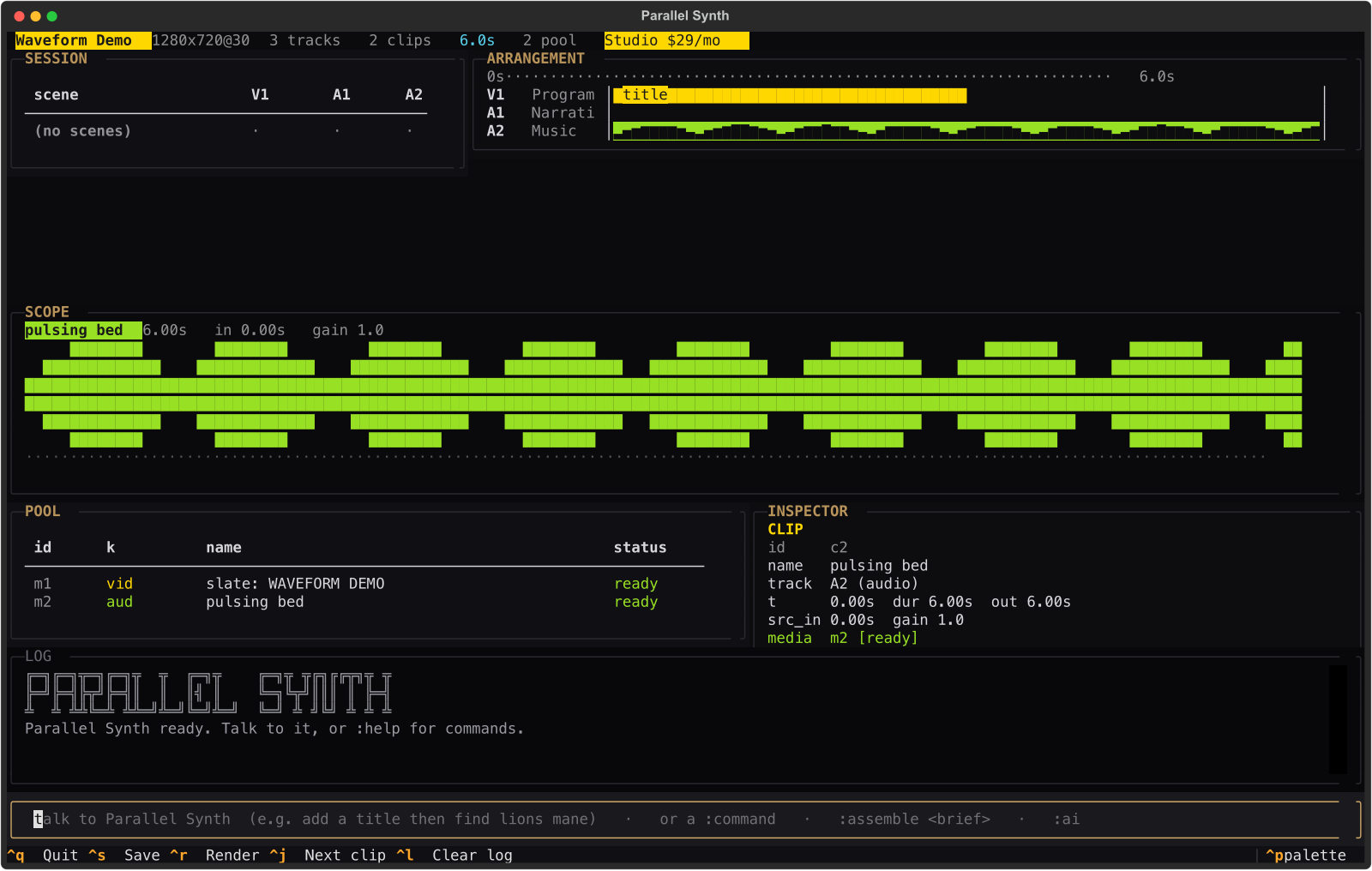
Select any clip and its waveform fills the scope. Audio lanes render their own waveform inline, so the timeline shows you the sound, not just a block.
A keyboard-first clip and timeline editor. A multitrack arrangement, a session grid, real audio waveforms, a built-in co-pilot, and generative video. One tool, one keyboard.
Every frame of this reel was arranged and rendered in Parallel Synth.
Every video, voice take, music bed, and generated shot is a clip on a track. You build and refine three ways at once, driven by keys, not menus.
Arrange clips on video and audio lanes. Gaps fill with black. Non-destructive from end to end.
Named scenes you fire together. Build an opener, an act, an outro, and trigger them as blocks.
Say what you want in plain words. Watch it call the same edit tools you use and build the timeline live.
Decoded from the actual samples and drawn in text. Fade, split, normalize, scrub, and play in place.
Generate title cards, tones, and video shots straight into your media pool, ready to drop on the timeline.
One command renders your program to a finished file. No timeline export dance, no round trips.
Talk to the co-pilot in plain words, or drive it with terse commands. Both edit the same timeline, and you watch every step land.
Start from a template, pull in footage, generate slates, tones, and shots, and lay them on the tracks. Undo anything.
One command renders a finished file. Or serve the whole studio to a browser tab for anyone who does not live in a terminal.
Select any clip and its waveform fills the scope. Audio lanes render their own waveform inline, so the timeline shows you the sound, not just a block.
Describe a shot and generate it into your pool, then drop it on the timeline like any other clip. This frame was generated inside the app.

Not a terminal person? Parallel Synth runs in the browser too, from the exact same engine. Nothing to install for your team.
Parallel Synth is built by Michael Crowe, who also runs Southwest Mushrooms and builds the Crowe Logic platform. The launch films for those products are cut in this editor. From the grow room to the timeline, it is all the same workshop.